Report columns
Why this matters
Report columns put the outcome of every message (sent or not, delivered or not, replied or not) in the same row as the contact. You can sort, filter and count them like any other data, and they’re your record of what was sent to whom.
Add the columns
- On the Send New tab, under Reports:, tick Add report fields to spreadsheet.
- Send as usual. ExcelSend adds the columns to the right of your data and shows “Report fields added”.
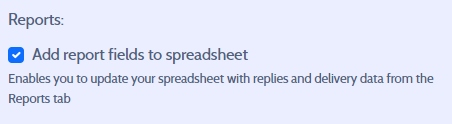
The option is ticked for you when the sheet has no report columns yet and you aren’t working from a selection.
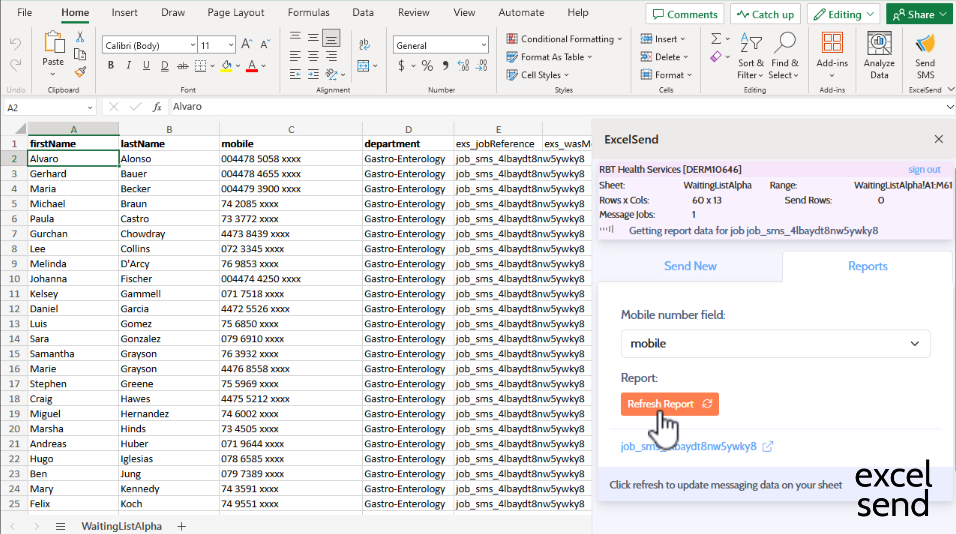
Straight after sending, only exs_jobReference is filled in. The other columns fill when you refresh reports.
What each column holds
| Column | Contents |
|---|---|
exs_jobReference | The job reference that links the row to the send |
exs_wasMessageSent | Yes or No |
exs_dateSent | When the message was sent |
exs_status | The delivery status of the message |
exs_message | The message text that was sent to this contact |
exs_sendError | Why the message wasn’t sent, if it wasn’t (shown in red) |
exs_wasReplyReceived | Yes or No |
exs_dateReceived | When the reply was received |
exs_reply | The text of the reply |
Dates use your account’s date format followed by the time as HH:mm. Yes and No are always in English.
Working with the results
- Sort or filter on
exs_replyto group answers such as YES and NO. - Use
exs_reply, notexs_wasMessageSentorexs_wasReplyReceived, when you’re reading the answer to a yes/no question. Those two columns also contain Yes and No. - Don’t rename or delete
exs_jobReferencewhile you still want to refresh the send. ExcelSend uses it to find the rows.
Common problems
The columns are there but empty They fill when you refresh. See Refresh reports.
I didn’t tick the option and now want reports
Reports need the job reference in each row. Without exs_jobReference there’s nothing to match on, so report data for that send can’t be written back to the sheet. You can still see the job in the ExcelSend portal.